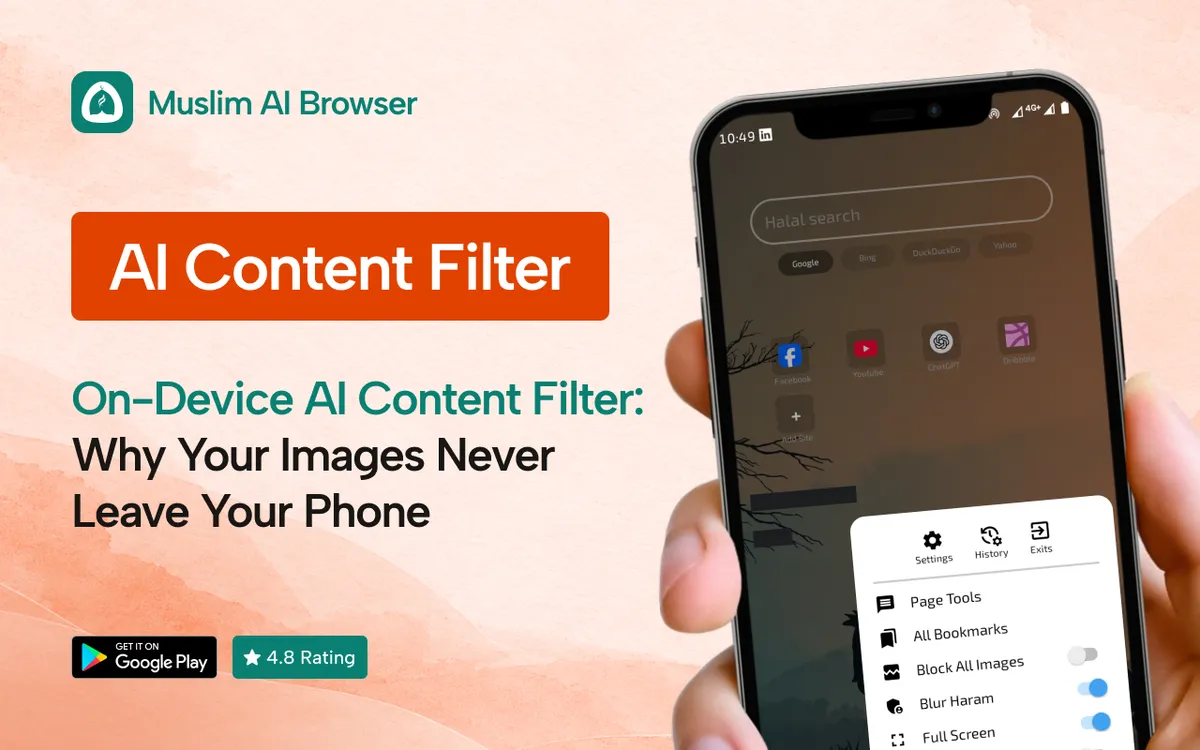
An on-device AI content filter checks pictures on your phone itself, not on a company's computer far away. If you are a parent, that one detail changes a lot.
Many of us want a filter for our kids, but we also worry: where do all those pictures go?
Let us walk through it together, in plain words.
Quick answer: An on-device AI content filter is a small "brain" inside an app on your phone that blurs unsafe images as the page loads. The image is never sent to a server, so it stays private, works fast, and even works offline.
What Does "On-Device AI" Actually Mean?
Let us start with the two words that confuse most parents. "AI" and "on-device" sound technical, but the ideas are simple.
AI, in one sentence
AI here means a computer program that has learned to recognise pictures. It was shown many examples until it could tell "safe" from "not safe" on its own.
Think of how a child learns what a cat looks like: after seeing enough cats, they just know. The AI learned in a similar way, before it was ever put in the app.
"On-device" means it stays at home
"Device" is just your phone or tablet. "On-device" means the AI does its work right there, inside your phone.
Picture a tutor who comes to your house, so your child's homework never leaves the home. That is how an on-device AI content filter works.
The other option is posting the homework to an office across town and waiting for it to come back.
What is a "server"?
A server is a big computer owned by a company, often in another country. When an app "uses the cloud", it sends your data to one of these servers.
Some filters work that way. They send each picture to a server, the server checks it, and then sends back an answer.
How an On-Device AI Content Filter Works, Step by Step
Here is what happens each time your child opens a web page. It all takes a fraction of a second.
1. The page starts to load, with its text and images.
2. Each image is handed to the small AI model stored inside the app. A "model" is simply the learned "brain" of the AI.
3. The model looks at the image and gives it a score, like "likely safe" or "likely unsafe".
4. If the score says unsafe, the app blurs the image before your child sees it.
5. The page finishes loading. Nothing was sent anywhere.
That is the whole loop of an on-device AI content filter. Your phone does the looking, and your phone does the blurring.
Why phones can do this now
A few years ago, phones were too slow for this kind of work. Today, many phones have parts built to run AI quickly and without draining the battery.[SR1]
Google even offers tools that let app makers run AI models directly on Android phones. You can read about it on Google's ML Kit page if you are curious.
On-device vs cloud filters: a simple comparison
An on-device AI content filter and a cloud filter try to do the same job. The difference is where the checking happens.
Question | On-device filter | Cloud filter |
Where are images checked? | On your phone | On a company server |
Do images leave your phone? | No | Yes |
Works without internet? | Yes | No |
Speed | Very fast, no waiting | Depends on your connection |
Who could see the images? | Only you | The company, and anyone who breaks in |
A cloud filter is not always "bad". But for a family, sending every picture your child sees to someone else's computer is a big ask.
Why a Private Content Filter Matters for Your Family
Privacy is not only about hiding secrets. It is about dignity and trust, which is why a private content filter matters.
Your child's browsing is not a product
Every image a child scrolls past says something about them. A private content filter keeps that story inside your home, not in a company's records.
When nothing is uploaded, there is nothing to sell, leak, or lose. That is the simplest kind of safety.
Fewer places for things to go wrong
Every time data travels, it can be copied, stored or stolen. Data breaches at large companies are reported often in the news.
An on-device AI content filter cuts out that journey with local image detection. If the picture never leaves the phone, it cannot leak from a server.
An Islamic view on privacy
Islam places real weight on privacy and on covering each other's faults. Allah says, in meaning: "Do not spy on one another" (Surah Al-Hujurat 49:12).
The Prophet (peace be upon him) taught that whoever covers the faults of a Muslim, Allah will cover his faults on the Day of Judgement.
Scholars explain that guarding a person's private life is part of this trust, and a filter that keeps your family's screens private fits that spirit well.
For specific rulings, please ask a trusted local scholar.
Offline AI Filter: Protection Without Wi-Fi
This is a benefit many parents do not expect. An offline AI filter keeps working when the internet is weak or gone.
Why does that matter if there is no internet? Pages and images saved earlier can still open, and some content loads from the phone's memory, called the "cache".
A cloud filter needs a connection to ask the server, so if the connection drops, it may simply stop checking. An on-device AI content filter does not have that weak spot.
Speed is part of safety
Waiting for a server takes time, even if it is only a moment. In that moment, an image might flash on screen before the blur arrives.
When the checking happens on the phone, the blur can be applied as the page loads. Faster checking means fewer surprises.
Is an On-Device AI Content Filter Perfect?
No, and we want to be honest with you here. No AI filter is perfect, whether it runs on your phone or on a server.
Sometimes it blurs a picture that was fine, like a photo of a beach or a family. Sometimes it misses a picture it should have blurred, especially in poor light or odd angles.
We wrote a full, honest guide on how accurate AI haram blur is, with what it catches and what it misses. It is worth a read before you rely on any filter alone.
Filters are one layer, not the whole wall
Think of a filter as a seatbelt. It helps a lot, but it works best with a careful driver.
For children, that means talking with them, setting screen time, and keeping devices in shared spaces. The filter supports your parenting; it does not replace it.
How Muslim AI Browser Uses On-Device AI
Muslim AI Browser is a free Android browser built around an on-device AI content filter. Its main feature, haram blur, uses AI on the phone to detect and blur inappropriate images and videos as pages load.
Here is what that means in practice:
• No images sent to servers. The checking happens 100% on the phone.
• Works offline. The AI does not need the internet to do its job.
• Zero data collection. History, bookmarks, and searches stay on the device. There is no tracking and no cloud upload.
• Safe Gaze. An optional mode that blurs images of the opposite gender, to help with lowering the gaze.
• Filters on by default. The adult content filter and gambling site blocker are switched on from the start.
• Lightweight. It is built to be fast with low battery use.
If you want the blur to work across your child's normal browsing, see our guide to auto blur images on Android. It shows the simple setup.
To turn things on, open the browser settings and look for the content filter and blur options.[SR5]
Privacy is the other half of the picture. If that matters to you, our guide to a private browser for Android covers tracking, history, and more.
What about computers?
On a laptop or desktop, the same idea is available through the Porda AI extension for Chrome and Edge. It works on Windows, macOS, and Linux.
Questions to ask before you trust any filter
Not every app that says "on-device AI content filter" or "private" works the same way. Here are simple questions any parent can ask.
1. Where are images checked? Look for "on-device" or "on your phone" in plain words.
2. Does it work offline? If yes, the checking is very likely happening locally.
3. What does the data-safety section say? On Google Play, every app lists what data it collects. Read it.
4. Is it honest about mistakes? A trustworthy app admits the AI can miss things or over-blur.
5. Is there a premium tier that holds back safety? Protection for children should not sit behind a paywall.
These questions take five minutes. They can save your family a lot of worry later.
FAQ
What is an on-device AI content filter?
It is an AI that runs inside an app on your phone and checks images locally. It blurs unsafe content without sending pictures to a server.
Does an offline AI filter really work without internet?
Yes. Because the AI model is stored on the phone, it can check images even when there is no connection.
Is local image detection safer than cloud filtering?
For privacy, yes. Your images never leave the phone, so they cannot be stored, sold or leaked from a server.
Will an on-device AI filter slow down my phone?
Modern phones are built to run small AI models efficiently. A well-made app should feel fast and use little battery.
Can an AI content filter catch everything?
No, every AI filter can miss some images or blur safe ones. Use it alongside talking with your kids and sensible screen rules.
Is Muslim AI Browser free?
Yes. It is free on Google Play with no premium tier, and it is rated 4.8 stars.[SR6]
A Calm Next Step for Your Family
We all want our children to grow up safe online, without feeling watched or judged. An on-device AI content filter is a gentle way to help, and it keeps your family's screens private.
If this sounds right for your home, you can download Muslim AI Browser free from Google Play. Try it for a week, see how it feels, and adjust as you go.
May Allah make it easy for all of us.