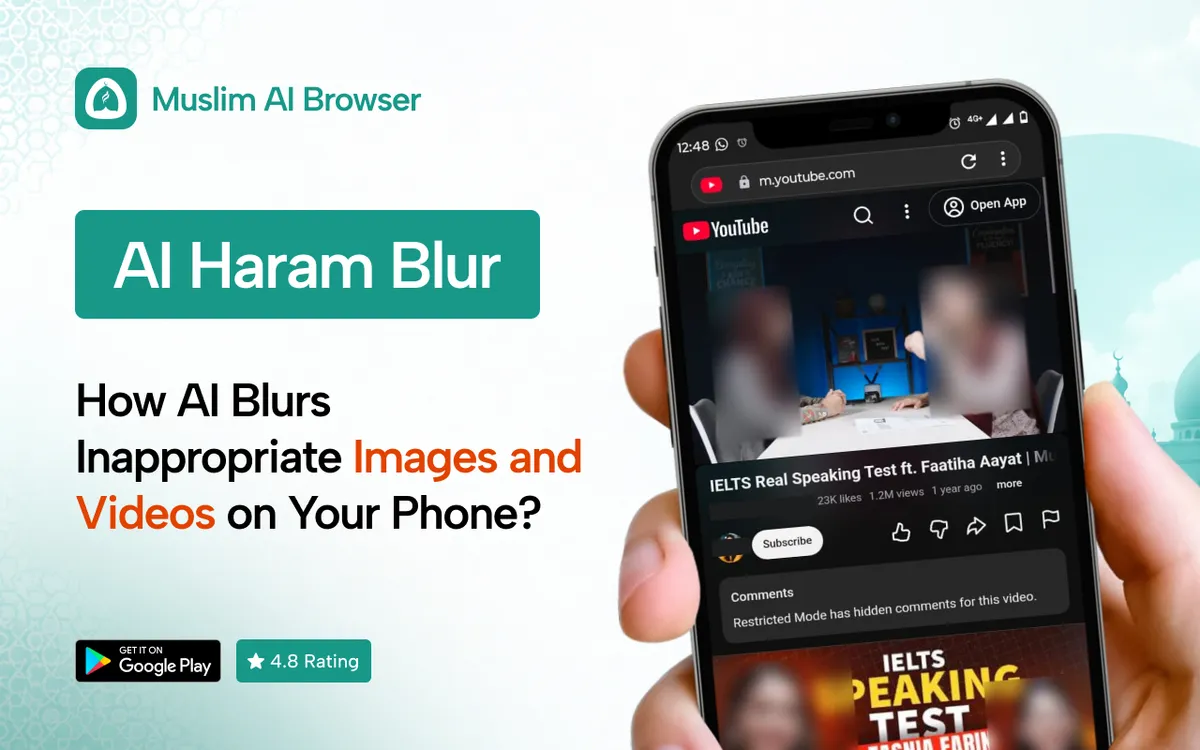
Haram blur is a simple idea: AI hides inappropriate images and videos before your eyes land on them. For many of us, that one feature has changed how we use our phones.
We have all been there. You open a news site or scroll a feed, and something shows up that you never asked to see.
It is not always about bad intentions. The modern web is built to grab attention, and images are its main tool.
This guide walks through how haram blur works, what it can and cannot do, and how to set it up on Android and desktop. We will keep it honest, practical and free of guilt.
Quick answer: Haram blur is a feature that uses AI to detect inappropriate images and videos and blur them as a page loads. The best versions run fully on your phone, so nothing is sent to a server. In Muslim AI Browser, it is free and works offline.
What Is Haram Blur and How Does It Work?
Haram blur is a type of AI image blur built for Muslims who want to guard their eyes online. It scans pictures and video frames and covers anything that looks immodest or explicit.
Instead of showing the image, it shows a soft blur. You still see the page, the text and the layout.
Where the idea came from
Muslim developers noticed that normal filters only block whole websites. But most harmful images today show up on "clean" sites: news, shopping, sports and social media.
So a new approach grew: filter the image, not the site. That is the heart of every haram blur app you will find today.
What it usually covers
• Explicit and sexual images
• Revealing clothing and suggestive poses
• Video thumbnails and autoplay previews
• Ads that use provocative pictures
What it does not do
Haram blur does not read your messages or judge you. It does not report your browsing to anyone.
It also does not replace good choices. It works on what appears on screen, not on the sites you decide to visit.
Some tools go further. In Muslim AI Browser, a separate feature called Safe Gaze blurs images of the opposite gender to help you lower your gaze.
How AI haram blur works on your phone
You do not need to be a tech expert to understand this. Here is the simple version.
1. A page starts to load in your browser.
2. Each image and video frame is passed to a small AI model on your phone.
3. The model gives a score for how likely the image is to be inappropriate.
4. If the score passes a limit, the image is blurred before it fully shows.
5. Safe images display as normal.
This all happens in a fraction of a second. On most modern phones, you will barely notice it.
What "AI image blur" really means
The model has learned from many labeled examples. It looks for patterns, such as skin exposure, body shapes and poses.
It does not "understand" images the way a person does. That is why it is very good, but not perfect.
Images vs videos
Images are checked once. Videos are harder, because the content changes frame by frame.
A good haram blur engine checks video thumbnails and frames as they play. It is one reason video filtering uses more processing than image filtering.
Why speed matters
If the blur arrives late, you have already seen the image. So the real test of any haram blur app is how early it acts.
That is why the place where filtering happens matters so much. A filter that sees images while the page loads can act before they paint on screen.
Why Muslims Look for a Way to Blur Haram Content
This is not only a tech question. For many of us, it is a question of the heart.
What the Quran says about the gaze
Allah says, in meaning: "Tell the believing men to lower their gaze and guard their private parts. That is purer for them." (Surah An-Nur 24:30)
The next verse gives the same guidance to believing women. (Surah An-Nur 24:31)
Scholars explain that lowering the gaze is a protection, not a punishment. It keeps the heart clear and makes it easier to stay close to Allah.
The first glance and the second
Jarir ibn Abdullah asked the Prophet (peace be upon him) about a sudden, accidental glance. He was told to turn his eyes away. (Sahih Muslim 2159)
In another narration, the Prophet (peace be upon him) told Ali that the first glance is forgiven, but the second is not. (Sunan Abu Dawud 2149; Jami at-Tirmidhi 2777)
Scholars note that the web makes the "first glance" happen again and again. A haram blur tool tries to stop that first glance from ever landing.
For rulings on your own situation, please ask a trusted local scholar. This article only shares the general guidance many scholars teach.
Why willpower alone is hard online
Feeds are designed by teams whose job is to keep you scrolling. Relying only on willpower against that system is tiring.
A tool does not replace taqwa. It simply removes some of the traps, so your effort goes further.
Taking the means is part of trust
Scholars often remind us that relying on Allah goes together with taking practical steps. We lock our doors and still trust Allah to protect our homes.
In the same way, a blur tool is a practical step. The intention behind it is what gives it value.
Mercy for ourselves when we slip
Every one of us will slip at some point. The door of repentance stays open, and Allah is Most Merciful.
So if you have struggled with this, you are not alone. Setting up haram blur can be a quiet, hopeful fresh start.
On-Device AI: Why Your Images Should Never Leave Your Phone
This is the part many people skip, but it matters a lot. Where does the AI actually run?
Cloud AI vs on-device AI
Some filters send your images to a server to be checked. That means your browsing is copied somewhere else, even for a moment.
An on-device AI content filter does the checking on your own phone. Nothing leaves the device.
| Cloud AI filter | On-device AI filter |
Where images are checked | On a remote server | On your phone |
Works offline | No | Yes |
Privacy | Images leave your device | Images stay on your device |
Speed | Depends on your connection | Fast, no upload wait |
How Muslim AI Browser handles it
In Muslim AI Browser, AI Haram Blur runs 100% on the device. No images are sent to servers, and it works even with no internet.
The browser also collects zero browsing data. Your history, bookmarks and searches stay on your phone, with no tracking and no cloud uploads.
For families, this is a big deal. A tool meant to protect your modesty should not also be looking at everything you see.
Other benefits of on-device AI
• Speed: there is no upload and no wait for a server reply.
• Offline use: the blur still works on a plane or with weak signal.
• Lower data use: images are not sent back and forth.
The browser is also lightweight, with low battery use. So the filter does not have to cost you a slow phone.
Haram Blur for Android: Browser vs Overlay Apps
If you use Android, you have two main options. Each works in a different way.
Option 1: An overlay app
Some haram blur apps run as an accessibility service. They sit on top of other apps and try to blur what is on the screen.
Android's own accessibility service guide explains that these services can read what is on screen. That is powerful, but it also means giving an app wide access to your phone.
HaramBlur is a well-known free example that works this way. Some Play Store reviews mention slowness and over-blurring, which is common for this method.
Option 2: A full browser with built-in blur
A browser can see each image as it loads. That makes it easier to blur early and cleanly, before the image paints on screen.
Muslim AI Browser takes this route. You also get real Facebook, Instagram and YouTube inside the browser, with filters applied.
Which is better?
It depends on your needs. An overlay can touch many apps, while a browser gives more control inside the web.
We compare speed, battery, privacy and accuracy in detail in our guide on haram blur for Android.
A note on the haram blur APK
Some people search for a haram blur APK to install from outside the Play Store. Please be careful with this.
Unofficial APK files can be changed or carry malware. The safest choice is always the official Google Play listing.
Questions to ask before you choose
With a few options out there, it helps to know what to look for. Here is a simple checklist.
• Privacy: does the AI run on your device, or on a server?
• Data: what does the Play Store data-safety section say?
• Scope: does it cover videos and social media, or only images?
• Speed: does it slow your phone or drain battery?
• Cost: is it truly free, or are key features behind a paywall?
A fair look at the options
Kahf Browser is a halal browser for Android, iOS and desktop. Its Google Play data-safety section lists collection of personal info and device IDs.
HaramBlur is popular and flexible, thanks to its overlay approach. Some users report slower performance and over-blurring.
Muslim AI Browser focuses on on-device AI, zero data collection and a full social media filter. It is free, with no premium tier, and holds a 4.8-star rating on Google Play.
How to Blur Haram Content Automatically on Android
The goal is simple: set it once, then forget it. You should not have to tap a button every time you open a page.
What "automatic" should mean
• Blur is on by default when you open the browser
• New tabs are filtered without extra steps
• Social media feeds are filtered as you scroll
• Videos and thumbnails are covered, not just photos
When all four are true, you can blur haram content without thinking about it each day.
Filtering social media, not just websites
Much of what we see today comes through Facebook, Instagram and YouTube. So a real solution must work there too.
In Muslim AI Browser, you use the real sites with filters on. It blocks Facebook and Instagram ads, sponsored posts, suggested posts, People You May Know and stories.
It also blocks Facebook and Instagram Reels and YouTube Shorts. Blocked slots are replaced with inspirational Islamic quotes.
Facebook itself has no native switch to turn off Reels or suggested posts. You can only hide or snooze single items, which rarely lasts.
Fewer rabbit holes, less temptation
Reels and Shorts are where many of us lose hours. They also tend to show more risky images than any other part of the app.
When they are gone, the feed becomes slower and calmer. You open the app for a reason, and you leave when you are done.
Masjid Mode for extra calm
Masjid Mode is a small feature with a big effect. Switch it on before you enter the mosque, and the browser shows text only, with no images or videos.
It is useful at any time you want a quiet, image-free screen.
Quick setup: auto blur images on Android
Setup takes only a few minutes. Here are the general steps.
1. Install Muslim AI Browser from Google Play. It needs Android 7.0 or newer.
2. Open the app and go through the first welcome screens.
3. Open the browser settings and find the content filter options.
4. Make sure AI Haram Blur is switched on.
5. Turn on Safe Gaze too, if you want opposite-gender images blurred.
6. Open a few sites you use often and check how the blur looks.
The adult content filter and gambling site blocker are on by default. You do not need to set those up.
For a fuller walkthrough with tips, see our guide to auto blur images on Android.
Setting it up for your children
Parents often ask whether this works for kids. It can be a strong part of a wider plan.
Children are curious, and they will meet things online that we cannot predict. A browser with blur and blocking on by default catches much of it quietly.
Pair it with open talks, screen time rules and device settings. Our guide on a safe browser for kids on Android covers the full picture.
Haram Blur on Desktop: Chrome and Edge Extension
Many of us also study or work on a laptop. The same risks follow us there.
Porda AI for Chrome and Edge
For desktop, the team offers the Porda AI extension. It works in Chrome and Edge on Windows, macOS and Linux.
It brings the same idea of image blurring to your computer browser. Install it once, and it filters images as you browse.
Why desktop needs its own filter
A laptop screen is big, and long study or work sessions mean long hours online. Research tabs, news sites and video platforms all carry the same risky images as your phone.
If you share a family computer, a blur extension also protects everyone who uses it. It is a simple layer for students and parents alike.
What about other extensions?
There are other options in this space. HaramBlur offers extensions for Chrome, Firefox, Edge and Safari.
The SafeGaze extension was removed from the Chrome Web Store in February 2025. If you used it, you may need a new option.
Tips for desktop users
• Install the extension on every browser profile you use
• Pin it to the toolbar so you can check it is active
• Keep the browser updated for the best performance
• On a shared computer, talk with family about why it is there
We explain setup steps and compare choices in our guide to the haram blur extension for desktop.
How Accurate Is AI Haram Blur?
This is the honest part. No AI blur is perfect, and anyone who says otherwise is overselling.
What it catches well
• Clear explicit images
• Obvious revealing clothing
• Many suggestive ads and thumbnails
Where it can slip
• Missed images: unusual angles, cartoons, low light or tiny thumbnails can get through.
• Over-blurring: a harmless image, like a baby photo or a sports shot, may get blurred.
• Fast video: quick scene changes can show a frame before the blur catches up.
Other tools face the same limits. Tahir Browser, for example, mentions about 70% accuracy for its opposite-gender blur on its own site.
We do not share an accuracy number for Muslim AI Browser here, because real results vary by site and device.
We go deeper on this in how accurate is AI haram blur. The key point: treat haram blur as a strong helper, not a perfect wall.
False positives are a fair trade
Over-blurring can feel annoying. But for many families, a few extra blurred photos are better than one image that should never have shown.
If you trust an image, you can often choose to reveal it.
How to get better results
• Keep the app updated, since models improve over time
• Use Safe Gaze if you want stricter filtering
• Avoid sites you know are risky, even with the filter on
• Combine blur with blocking for high-risk content
Blur vs Block: Which Protects You Better?
People often ask whether they should blur content or block it. The honest answer is that you need both.
| Blur | Block |
What it does | Hides the image, keeps the page | Stops the whole site or item from loading |
Best for | Mixed sites like news and social media | Adult and gambling sites |
Keeps useful content | Yes | No |
Risk | May miss some images | May block too much |
When blur works best
Blur is ideal for sites you need but that also carry risky images. Think news, shopping, education and social media.
When blocking works best
Some sites have no good side for a Muslim user. For those, a block is safer than a blur.
That is why Muslim AI Browser includes an adult content blocker and a gambling site blocker, both on by default. It also offers malicious site protection and an optional ad blocker.
Using both together
The strongest setup uses both layers at once. Blocking handles the worst sites, and blur handles the risky images on everyday sites.
Think of it like a home. The lock keeps strangers out, and the curtains give privacy to the rooms you actually use.
Our guide on content filter blur vs block explains when to use each method.
Haram blur as part of halal browsing
A blur tool is one piece of a bigger habit. Halal browsing also means clean sources, good intentions and healthy screen limits.
The tool helps, but the heart does the real work.
Simple habits that make the filter stronger
• Keep your phone out of the bedroom at night
• Set a time limit for social media
• Unfollow accounts that often post risky images
• Start your browsing with a short dua and a clear purpose
None of these need an app. But together with haram blur, they close many of the gaps that AI alone cannot.
FAQ
What is haram blur?
Haram blur is an AI feature that detects inappropriate images and videos and blurs them as a page loads. It helps Muslims lower their gaze online.
Is there a free haram blur app for Android?
Yes. Muslim AI Browser is free on Google Play, with no premium tier, and includes AI Haram Blur.
Does haram blur work offline?
In Muslim AI Browser, yes. The AI runs fully on your phone, so it works without an internet connection.
Does haram blur send my photos to a server?
Not in Muslim AI Browser. All checks happen on your device, and no images are uploaded.
Is AI haram blur 100% accurate?
No. It catches most clear cases but can miss some images or blur harmless ones, so use it alongside blocking and good habits.
Can I use haram blur on iPhone?
Muslim AI Browser is not available on iPhone. On a laptop, you can use the Porda AI extension for Chrome and Edge.
A Small Step That Makes a Big Difference
None of us is perfect online. We slip, we scroll too long, and we see things we wish we had not.
A haram blur tool will not fix everything. But it can remove many of the traps, so guarding your gaze feels a little lighter each day.
If you want to try it, you can download Muslim AI Browser for free from Google Play. Turn on AI Haram Blur, browse as usual, and see how it feels.
May Allah make it easy for all of us to keep our eyes and hearts clean.